

Скачать DoNotTrackMe – ориентированный на конфиденциальность блокировщик трекеров для Chrome, Firefox, Safari & Edge
Обзор
DoNotTrackMe (formerly Do Not Track Plus) — кросс‑браузерное расширение, созданное для прекращения навязчивого веб‑трекинга. В эпоху, когда рекламодатели, социальные сети и брокеры данных молча собирают каждый клик, прокрутку и наведение, этот инструмент предлагает простое, бесплатное решение, возвращающее пользователю контроль. После установки крошечная зелёная иконка на панели инструментов отображает живой счётчик, показывающий, сколько файлов cookie для отслеживания сайт пытается установить. Нажатие на счётчик раскрывает подробный список заблокированных трекеров — от известных рекламных сетей, таких как DoubleClick и ComScore, до малоизвестных пикселей социальных сетей. Если понадобится разрешить конкретный трекер, один клик мгновенно добавит его в белый список. Расширение утверждает, что блокирует более 600 различных трекеров и регулярно получает обновления, чтобы опережать появляющиеся скрипты. Пользователи постоянно отмечают более быструю загрузку страниц, снижение использования пропускной способности и заметное уменьшение персонализированной рекламы. Поскольку оно работает на уровне браузера, DoNotTrackMe функционирует независимо от любой операционной системы, что делает его универсальным выбором для Windows, macOS, Linux и даже мобильных браузеров, поддерживающих расширения. Будь вы профессионал, заботящийся о конфиденциальности, студент, обеспокоенный профилированием данных, или просто человек, желающий более чистый и быстрый опыт серфинга, DoNotTrackMe предоставляет мощный, но ненавязчивый слой защиты.
Ключевые функции & чем DoNotTrackMe отличается
- Block over 600 trackers: Includes advertising, analytics, social‑media and fingerprinting scripts.
- Real‑time tracker counter: The green toolbar icon shows the exact number of blocked attempts per page.
- One‑click whitelist: Instantly allow a tracker you trust without leaving the extension UI.
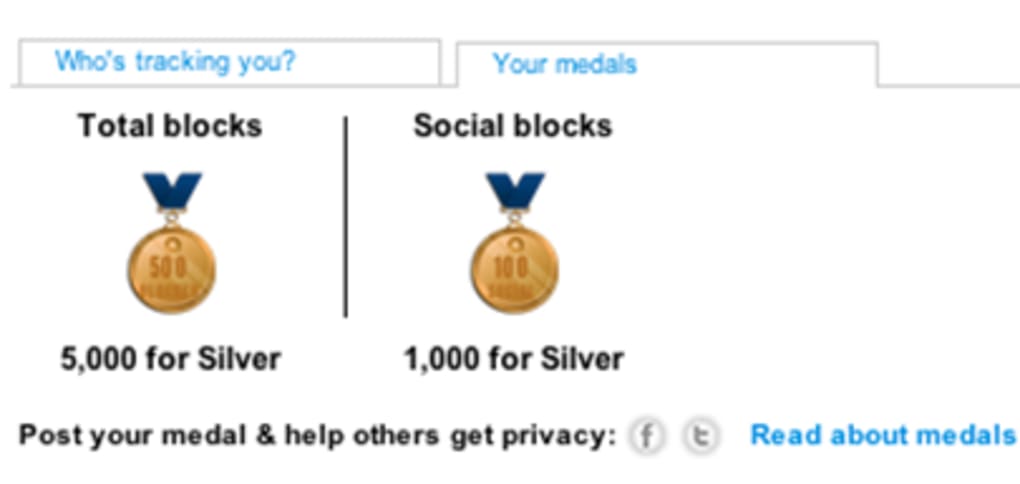
- All‑time block statistics: Track how many trackers have been blocked since installation—often thousands per day.
- Cross‑browser compatibility: Available for Chrome, Firefox, Safari, Edge/Internet Explorer and compatible with macOS, Windows and Linux.
- Automatic updates: Regular signature updates keep the block list current with the latest tracking techniques.
- Lightweight & discreet: Minimal impact on browser performance and a small, non‑intrusive UI element.
- Free and open‑source: No hidden fees, no subscription model, and community‑driven development.
Установка, использование & совместимость
Пошаговое руководство по установке
Getting DoNotTrackMe up and running is a breeze. Follow these steps for a hassle‑free setup:
- Visit the official extension store for your browser (Chrome Web Store, Firefox Add‑ons, Safari Extensions Gallery, or Microsoft Edge Add‑ons).
- Search for “DoNotTrackMe” and click Add to Browser (or Install for Safari).
- Confirm any permission prompts—DoNotTrackMe requires access to read and change data on the websites you visit.
- Once installed, a small green icon appears in the toolbar. Click it to view the current block count and detailed tracker list.
- Adjust settings by right‑clicking the icon and selecting Options. Here you can enable/disable specific tracker categories, import custom block lists, or set a default whitelist.
Как эффективно использовать расширение
After installation, DoNotTrackMe works automatically in the background. When you land on a page, the icon updates with the number of blocked attempts. Clicking the number opens a drop‑down that categorises trackers (ads, analytics, social, etc.) and displays the domain responsible.
If a site’s functionality is broken—say a video player or login form—simply click the “Allow” button next to the offending tracker to whitelist it for that session. The extension also offers a “Protected Mode” toggle that enforces stricter blocking for privacy‑sensitive sites like banking portals or health forums. For power users, the advanced settings allow you to import custom filter lists in .txt format, giving you granular control over which scripts are blocked.
Совместимость на разных платформах
DoNotTrackMe is engineered to be OS‑agnostic. The extension’s core code runs within the browser sandbox, meaning it works equally well on Windows 10/11, macOS Monterey and Ventura, as well as Linux distributions that support the major browsers. Mobile support is limited to browsers that allow extensions (e.g., Firefox for Android). Because the extension does not rely on native system APIs, updates are delivered directly through the browser’s extension marketplace, ensuring a seamless experience regardless of the underlying operating system.
Плюсы, минусы & часто задаваемые вопросы
Плюсы и минусы
- Pros
- Blocks a comprehensive list of trackers, improving privacy.
- Free, open‑source, and regularly updated.
- Minimal impact on browsing speed and system resources.
- Intuitive UI with real‑time statistics.
- Works across all major browsers and operating systems.
- Cons
- Occasional false positives may break site functionality.
- Whitelist management can be confusing for beginners.
- Mobile support limited to browsers that allow extensions.
FAQ – Ваши вопросы о блокировке трекеров
Чем DoNotTrackMe отличается от других блокировщиков рекламы?
While many ad‑blockers focus primarily on banner ads, DoNotTrackMe targets a broader range of trackers, including analytics scripts, social‑media pixels, and fingerprinting code, providing a more comprehensive privacy shield.
Is the extension really free?
Yes. DoNotTrackMe is completely free to download and use. There are no hidden fees, subscription tiers, or premium versions.
Can I see which companies are trying to track me?
Absolutely. Clicking the tracker counter reveals a list of domains and companies (e.g., DoubleClick, ComScore) attempting to place cookies on your device.
Will DoNotTrackMe slow down my browsing?
In fact, many users notice faster page loads because blocked scripts are never downloaded, reducing bandwidth consumption and rendering time.
How often is the tracker database updated?
The extension receives automatic updates through each browser’s extension store, typically every few days, ensuring protection against the latest tracking techniques.
DoNotTrackMe delivers a solid blend of privacy protection and usability. The real‑time counter and detailed whitelist options empower users without overwhelming them. Minor hiccups with site breakage are quickly mitigated via the one‑click allow feature. Overall, it’s a top‑tier tracker blocker that lives up to its promises.
Заключение & призыв к действию
In a digital landscape where data is the new currency, safeguarding your online footprint is no longer optional—it’s essential. DoNotTrackMe offers a free, easy‑to‑install solution that blocks hundreds of trackers, improves page speed, and gives you clear visibility into who’s trying to monitor your activity. Its cross‑browser support, regular updates, and user‑friendly interface make it an excellent choice for anyone serious about privacy, from casual browsers to privacy‑advocates. Ready to take back control? Download DoNotTrackMe today and experience a cleaner, faster, and more private web experience.







